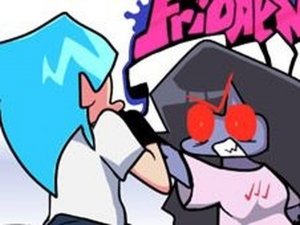
FNF Fireboy Watergirl Rhythm Game

FNF Fireboy Watergirl Rhythm Game

Fnf
Developer: Knight Quest Games
Published: 2024-07-08
Updated: 2026-06-12

Reviews

FNF vs Fireboy & Watergirl offers a fresh take on rhythm gaming with its crossover appeal. The three original songs are well-composed and provide a good variety of difficulty. The controls are responsive, and the visual style is clean and inviting. Story Mode gives a sense of progression, while Free Play allows for focused practice. The game is easy to learn but offers enough challenge to keep players coming back. It is a great choice for short breaks or longer sessions, and its family-friendly design means anyone can enjoy it without concern.

Game Introduction

FNF vs Fireboy & Watergirl is a rhythm game that combines the mechanics of Friday Night Funkin' with characters from the Fireboy and Watergirl series. In this crossover, Boyfriend challenges the duo to a musical duel. The game includes three original custom songs: Temple, Crystal, and Friv. Designed for all ages, it focuses on colorful visuals, catchy tunes, and simple gameplay. Whether you are a longtime fan of rhythm games or new to the genre, this title provides a fun way to enjoy music and test your timing.

How to Play

To start, choose between Story Mode and Free Play from the main menu. During gameplay, arrow symbols appear above Boyfriend. When these arrows match incoming notes, press the corresponding arrow keys on your keyboard in time with the music. Your goal is to fill the progress bar in your favor before the song ends. Missing too many notes in a row will cause you to lose the round. Practice each song to learn the rhythm patterns and improve your accuracy. Consistent play helps you master the beats and ultimately defeat Fireboy and Watergirl.

Game Features

The game includes three custom songs with distinct styles. Two game modes offer variety for different play preferences. The controls are straightforward, making it easy for anyone to pick up and play. The colorful, clean visuals appeal to a wide audience. There is no violent or mature content, ensuring a family-friendly experience. The rhythm-based challenge provides a satisfying sense of progression as you improve your timing and score.

Tips for Success

Practice each song multiple times to learn its unique rhythm pattern. Focus on accuracy over speed—hitting notes correctly is more important than rushing. Listen carefully to the music to anticipate when notes will appear. Take breaks if you feel frustrated, as a fresh mind can improve your performance. Use the Free Play mode to practice difficult sections without the pressure of a full story run. Consistent, short practice sessions are often more effective than long, tiring ones.

Compatibility

Play on Any Device | Chrome / Safari / Edge Recommended
Faq
Can I play this game on mobile devices?
The game is designed for online play, typically on a computer with a keyboard. Some versions may be adapted for mobile, but the primary controls use arrow keys. Check the game page for device compatibility information.
Is this game free to play?
Many online arcade games of this type are free to play, supported by ads. However, specific pricing or ad policies may vary. It is best to check the game's website or platform for details on any costs or in-game purchases.
Do I need to download anything to play?
No download is required. This is an online arcade game that runs directly in your web browser. You only need a stable internet connection and a keyboard to start playing immediately.
Are there different difficulty levels?
The game may include varying difficulty through different songs and modes, but specific difficulty settings are not confirmed. Players can expect the challenge to increase as they progress through the story or try faster songs.
Can I play with friends?
This game is primarily a single-player experience. There is no mention of multiplayer or co-op modes. You compete against the AI-controlled Fireboy and Watergirl, not against other human players.
What should I do if the game lags or freezes?
If you experience lag, try closing other browser tabs or applications to free up system resources. Refreshing the page or using a different browser may also help. Ensure your internet connection is stable for smooth gameplay.
Advertisement

Associated Games