
Reviews
Tempo Showdown delivers a focused rhythm experience that respects the player's time. The three modes provide a clear progression from relaxed practice to demanding speed challenges. The arrow key controls are precise, and the visual feedback for each hit is immediate and clear. The lack of clutter or unnecessary features keeps attention on the music and timing. While the song selection is limited, each track is well-composed and suits the gameplay. This is a solid choice for anyone looking for a quick, free music game that prioritizes skill development over flashy presentation.
Description
Core Gameplay Loop
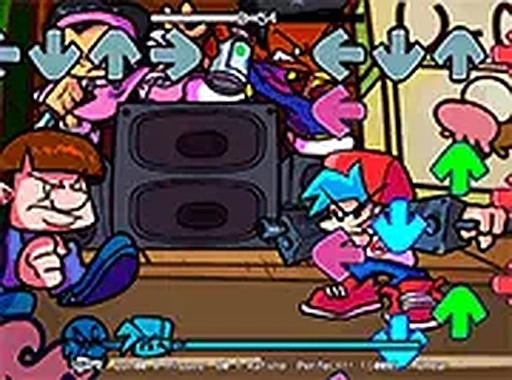
In Tempo Showdown, players face off against a computer-controlled rival in a musical contest. The screen displays a series of prompts that scroll in time with the background track. Each prompt corresponds to one of the four arrow keys. Pressing the correct key at the right moment adds to the player's score and keeps the performance on track. Missing notes reduces the overall accuracy percentage. The match continues until the song ends, at which point the player with the higher score wins. This straightforward structure makes each round easy to understand but difficult to master.
Control Scheme & Input
The game relies entirely on the keyboard's arrow keys for input. There is no mouse or touch control, so a desktop or laptop computer is required. The left, right, up, and down keys each map to a specific lane on the screen. As notes travel downward, players must press the matching key just as the note reaches a target zone near the bottom. The timing window is generous enough for beginners but tight enough to reward practice. Players can adjust the audio volume and switch to full-screen mode from the settings menu to reduce visual distractions.
Mode Selection & Difficulty
Tempo Showdown includes three distinct play modes, each offering a different song arrangement and difficulty curve. The first mode is designed for newcomers, with slower note patterns and fewer simultaneous prompts. The second mode increases the tempo and introduces more complex sequences. The third mode presents the fastest arrangements, requiring quick reflexes and strong rhythm memory. Players can switch between modes at any time from the main menu. This variety encourages repeated play as users work to improve their scores on each track.
Visual Feedback & Performance Tracking
During gameplay, the interface provides clear visual feedback for each key press. Successful hits produce a brief flash or color change on the note, while misses result in a dull thud or visual break. A combo counter appears in the corner, tracking consecutive successful presses. The final score screen displays the accuracy percentage, total hits, and longest combo streak. This data helps players identify areas for improvement. The clean, minimal interface keeps the focus on the music and the scrolling notes without unnecessary clutter.
Accessibility & Technical Requirements
Because Tempo Showdown runs entirely in a web browser, there is no software to install or account to create. The game loads quickly on most modern browsers, including Chrome, Firefox, and Edge. A stable internet connection is needed to stream the audio tracks. The game works best on screens with a resolution of at least 1024x768 pixels. Players should ensure their keyboard is in good working condition, as precise key presses are essential for high scores. The game saves progress locally, so scores are retained between sessions on the same device.


03 Comments
Sign in to comment
You must be logged in before posting a review or rating.
No account? Create one
No comments yet. Be the first to comment!