
Reviews
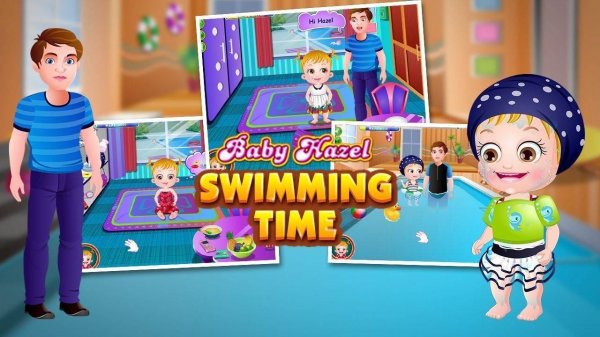
Little Splash: First Pool Adventure excels at creating a calm, educational environment for young children. The game breaks down the swimming lesson into manageable stages, from packing to poolside safety to basic movements. Its visual design is warm and inviting, and the lack of timers or competition keeps the experience stress-free. Parents will appreciate the focus on safety habits, while children will enjoy the sense of accomplishment from completing each step. This is a thoughtful tool for building water confidence.
Description
Getting Ready for the Pool
Before entering the water, players help the main character gather everything needed for a successful lesson. This includes selecting appropriate swimwear and a towel. The process introduces young children to the idea of preparation and responsibility, making the experience feel real and meaningful. Each item is clearly shown, and simple clicks allow kids to place them in a bag. This initial stage sets a calm, organized tone for the rest of the activity.
Safety Steps at the Water's Edge
Once at the pool, the focus shifts to safety. Players assist in putting on flotation devices and adjusting goggles, following clear on-screen prompts. The game emphasizes the importance of these precautions without causing worry. By repeating these actions, children learn that safety equipment is a normal, helpful part of swimming. The instructor character offers gentle guidance, reinforcing positive habits in a supportive way.
Learning Basic Movements
With safety gear in place, the lesson moves to simple water movements. Players follow visual cues to guide the character in kicking legs and moving arms. The game breaks down each action into small, manageable steps, making it easy for young players to understand. This approach helps build coordination and comfort in the water. The movements are demonstrated slowly, allowing children to practice at their own pace.
Building Confidence Through Repetition
Repetition is key to learning, and this game encourages it naturally. After completing the initial sequence, children can repeat the lesson multiple times. Each repetition reinforces the steps and builds familiarity. The game celebrates small achievements, such as successfully completing a movement or wearing safety gear correctly. This positive reinforcement helps young players feel proud of their progress and more confident about real swimming experiences.
Visual Design and User Experience
The game uses bright, friendly visuals that appeal to young children. Characters have simple, expressive designs that convey warmth and encouragement. On-screen instructions are clear and use large icons, making them easy to follow even for pre-readers. The interface is designed for touchscreens and mouse clicks, ensuring accessibility across devices. The overall atmosphere is calm and inviting, reducing any anxiety a child might feel about water.






03 Comments
Sign in to comment
You must be logged in before posting a review or rating.
No account? Create one
No comments yet. Be the first to comment!