Brush Hit: 3D Coloring Arcade

Brush Hit: 3D Coloring Arcade

3D Arcade Coloring
Developer: Urban Creations
Published: 2024-07-29
Updated: 2026-06-12

Reviews

Brush Hit stands out for its straightforward design and calming effect. The tap-to-change brush mechanic is intuitive, and the requirement to keep the brush moving teaches patience. Each completed picture brings a sense of accomplishment. The game is free from ads and inappropriate content, making it a reliable choice for parents. While it may not challenge older children, it offers consistent, low-stress fun for preschoolers and early elementary kids. Replay value comes from the variety of shapes and color combinations available.

Game Introduction

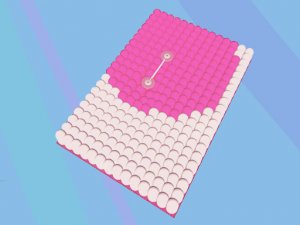
Brush Hit is a delightful coloring game designed for young children. The game presents a series of shapes and patterns waiting to be filled with vibrant colors. Players use a virtual brush to apply color, with each tap changing the pen tip to a different shade or style. The simple mechanic encourages focus and fine motor control, as the brush must stay in contact with the surface to work properly. This creates a calm, meditative experience that lets kids explore their artistic side without pressure. Parents appreciate the lack of inappropriate content, making it a trustworthy choice for home or school.

How to Play

To play Brush Hit, start by tapping the screen to cycle through different brush tips. Each tap gives you a new color or pattern. Then, move your finger or cursor over the shapes you want to color. Keep the brush tip touching the shape to apply color smoothly. If you lift the tip too early, the coloring stops, so try to make steady, continuous strokes. The game is forgiving and encourages practice. Simply tap, color, and enjoy the process of completing each picture.

Game Features

Features include: Colorful shapes that appeal to young children. Easy tap controls that are simple to learn. A relaxing atmosphere with no timers or scores. Safe for all ages with no violent or suggestive content. Encourages creativity and fine motor skills.

Tips for Success

To get the most out of Brush Hit, practice making smooth, continuous strokes to keep the brush tip in contact with the surface. Experiment with different brush tips and colors to see how they combine. Take your time and enjoy the process rather than rushing to finish. This game is about relaxation and creativity, so there is no need to worry about mistakes. Regular practice will improve your fine motor control and make coloring easier over time.

Compatibility

✅ This game supports:
- Desktop browsers (Chrome, Edge, Safari)
- Mobile browsers (Chrome on Android, Safari on iOS)
❌ Does NOT support: - Internet Explorer - Very old browser versions
👉 Try refreshing or updating your browser
Faq
Is Brush Hit suitable for very young children?
Yes, Brush Hit is designed for young children. The simple tap controls and lack of timers or scores make it accessible even for toddlers. Parents can feel confident letting their kids play, as the game contains no inappropriate content.
Does Brush Hit require an internet connection to play?
Since the game is described as an 'Online Game,' it likely requires an internet connection to load or access content. However, some online games offer offline modes after initial download. Check the game's settings or description for specific connectivity requirements.
Can I play Brush Hit on a mobile device?
Yes, Brush Hit is typically available on mobile devices such as smartphones and tablets. The touch controls are well-suited for finger input, and the game's simple interface works well on smaller screens. It may also be playable on desktop computers with a mouse or touchscreen.
Are there different difficulty levels in Brush Hit?
Brush Hit is designed to be a relaxing experience without timers or scores, so it likely does not include multiple difficulty levels. The game focuses on free creativity, making it accessible to all ages and skill levels without pressure.
Does Brush Hit have any sound or music?
Many coloring games include gentle background music or sound effects to enhance the relaxing atmosphere. While not explicitly mentioned in the description, it is common for such games to have optional audio settings. You can usually adjust or mute sounds in the game's menu.
Can I save or share my completed coloring pages?
Some coloring games allow you to save your finished artwork to a gallery or share it with others. This feature is not guaranteed in Brush Hit, but many similar games include a save option. Check the game's interface for a save or export button after completing a picture.
Advertisement

Associated Games