
Reviews
Picture Tile Sliding Puzzle offers a timeless challenge that sharpens spatial reasoning. The high-quality images make each solved puzzle visually satisfying. Controls are smooth on both desktop and mobile, allowing for quick play sessions. It is a perfect choice for anyone seeking a calm yet engaging mental workout.
Description
Game Introduction
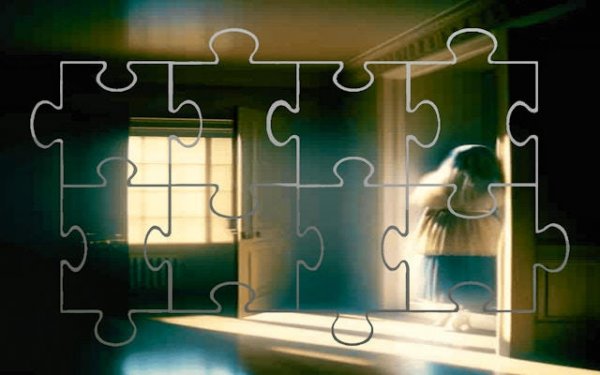
Picture Tile Sliding Puzzle is a classic brain teaser that challenges players to restore a scrambled image. The game presents a grid of shuffled tiles, each holding a fragment of a high-quality picture. Your goal is to slide tiles into the empty space until the original image is fully reassembled. This simple yet deeply engaging concept tests spatial reasoning and forward planning. Each completed puzzle rewards you with a satisfying visual reveal, making every solved challenge feel like an accomplishment.
How to Play
To play, look at the grid with one empty slot. Click or tap any tile next to the empty space to slide it into that position. Continue moving tiles one at a time, gradually working the pieces into their correct order. Think ahead to avoid getting stuck, and use the empty space as a tool to shift multiple tiles. The puzzle is solved when all tiles form the complete picture. The controls are intuitive and work seamlessly on both desktop and mobile devices.
Game Features
Classic sliding puzzle mechanics provide a timeless challenge. High-quality images offer visual engagement and a rewarding sense of progression. Intuitive controls work on desktop and mobile, allowing for easy play anywhere. The game trains logic, pattern recognition, and planning skills. It offers a relaxing yet rewarding gameplay loop, ideal for short mental breaks.
Tips for Success
Start by solving the top row or leftmost column first, as this creates a foundation for the rest of the puzzle. Practice moving tiles in sequences to avoid disrupting already-placed pieces. Use the empty space strategically to rotate groups of tiles. If you get stuck, take a short break and return with fresh eyes. Regular practice will improve your spatial reasoning and speed.





03 Comments
Sign in to comment
You must be logged in before posting a review or rating.
No account? Create one
No comments yet. Be the first to comment!